Guides
How to get StandBy mode on AndroidTurn any Android phone into a StandBy-style clock when you set it down.StandBy mode on Galaxy Z Fold: tent, book and laptopUse your Fold's postures as a desk clock, mood light and calendar.iPhone Duo's StandBy, on AndroidThe folding iPhone's half-fold clock — how to get the same on Android.Turn an old Android phone into a desk clockGive a spare phone a second life on your desk or nightstand.Nixie and flip clock app for AndroidGlowing tube and split-flap clocks on your phone, no extra hardware.안드로이드 스탠바이 모드 쓰는 법아이폰 스탠바이처럼, 폰을 내려놓으면 시계가 켜지게 하기.StandBy mode on Samsung Galaxy phonesGalaxy S, A and Z Fold don't have StandBy built in. Here's how to get it.Android nightstand clock: a bedside setup that worksTurn your phone into a bedside clock that's readable at night and doesn't light up the room.Samsung Always On Display in landscape: where it wentThe landscape AOD option is missing on newer Galaxy phones. Here are the options that still work.
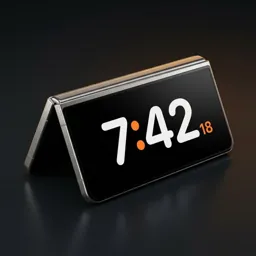
Set your Android down. The clock turns on by itself.
Try Duo Standby free for 3 days